 DrowUp Guide
Canvas
Workflows and Product Variants
Save a tested group of nodes and reuse it for one or more products.
A workflow is a reusable group of connected nodes. Build and test the route once, then apply the same steps to other products.
Save a workflow
- Build a complete route in the Canvas.
- Run it with one test product.
- Check the generated result and the Product node save mode.
- Group the nodes that belong together.
- From the group tools, select Save as Workflow.
- Give it a clear name and a short description of when to use it.
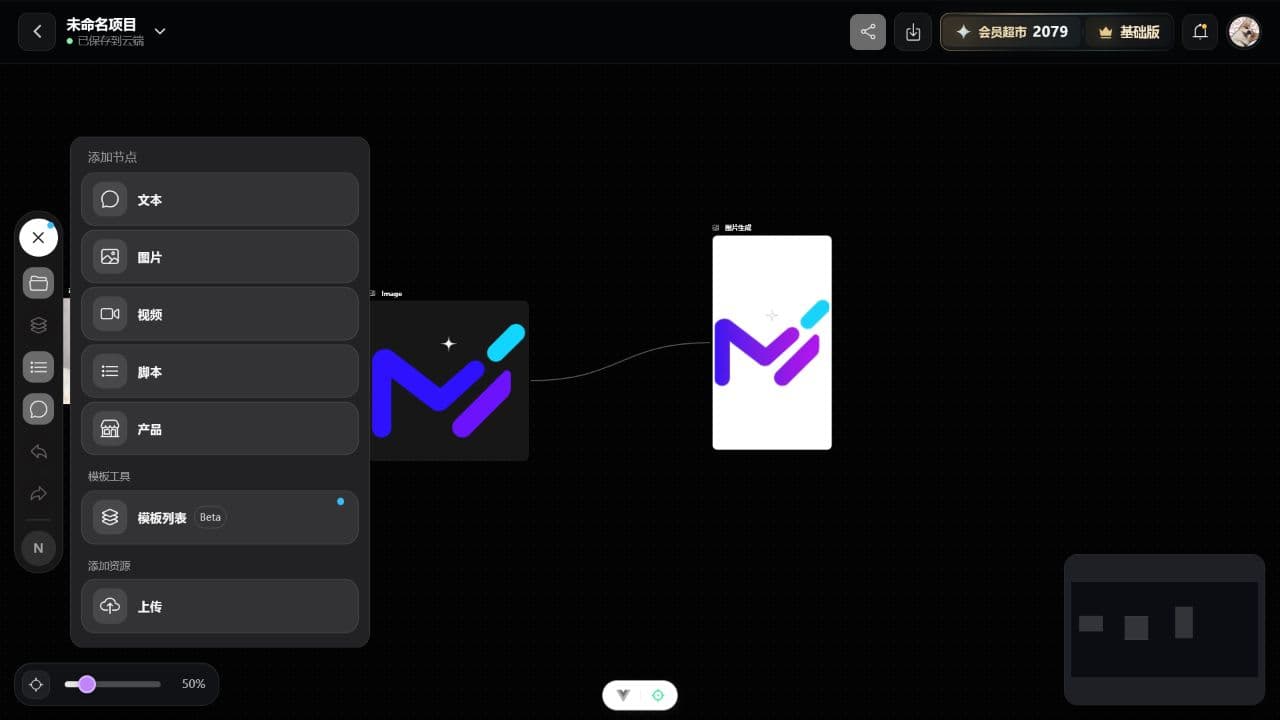
Saved workflows appear under Template List, with public workflows and your own workflows shown separately.
Create variants from the Product Library
- Open Asset Library - Product Library.
- Select one product for the first run.
- Select One-click Variants.
- Choose the product workflow you tested.
- Start the run and watch the Canvas complete the visible route.
- Review the generated output and the product record afterward.
When one product works correctly, you can repeat the route with more products. Keep each first run small so an unclear instruction is not repeated across a large batch.
When to update a workflow
Update the saved workflow only after the changed version passes a test. If the new route serves a different purpose, save it as a new workflow with a distinct name.