 Agent Guide
Connectors
Connect external tool services, verify authorization, and understand current-user sharing.
Connectors let the Agent use external tool services. They are not canvas node connections, employees or Skills.
Connections are currently shared by the current user's conversations; they do not need employee binding. This does not automatically share accounts or credentials with an entire team. Supported services are determined by the current connector market.
Choose a setup method
| Method | Best for | Required preparation |
|---|---|---|
| Market connection | A service with a supported built-in setup | Service account and the requested authorization fields |
| Custom MCP | A trusted existing MCP configuration | Provider configuration and a clear permission scope |
Market setup accepts the authorization fields provided by the entry, not arbitrary launch commands. Use the custom MCP path for custom service configuration, after checking its source.
1. Read the entry and prepare the service
Open Connectors from the left sidebar. The page splits into Discover connectors and My connections, noting that one connection serves every conversation and that credentials stay encrypted on this machine.
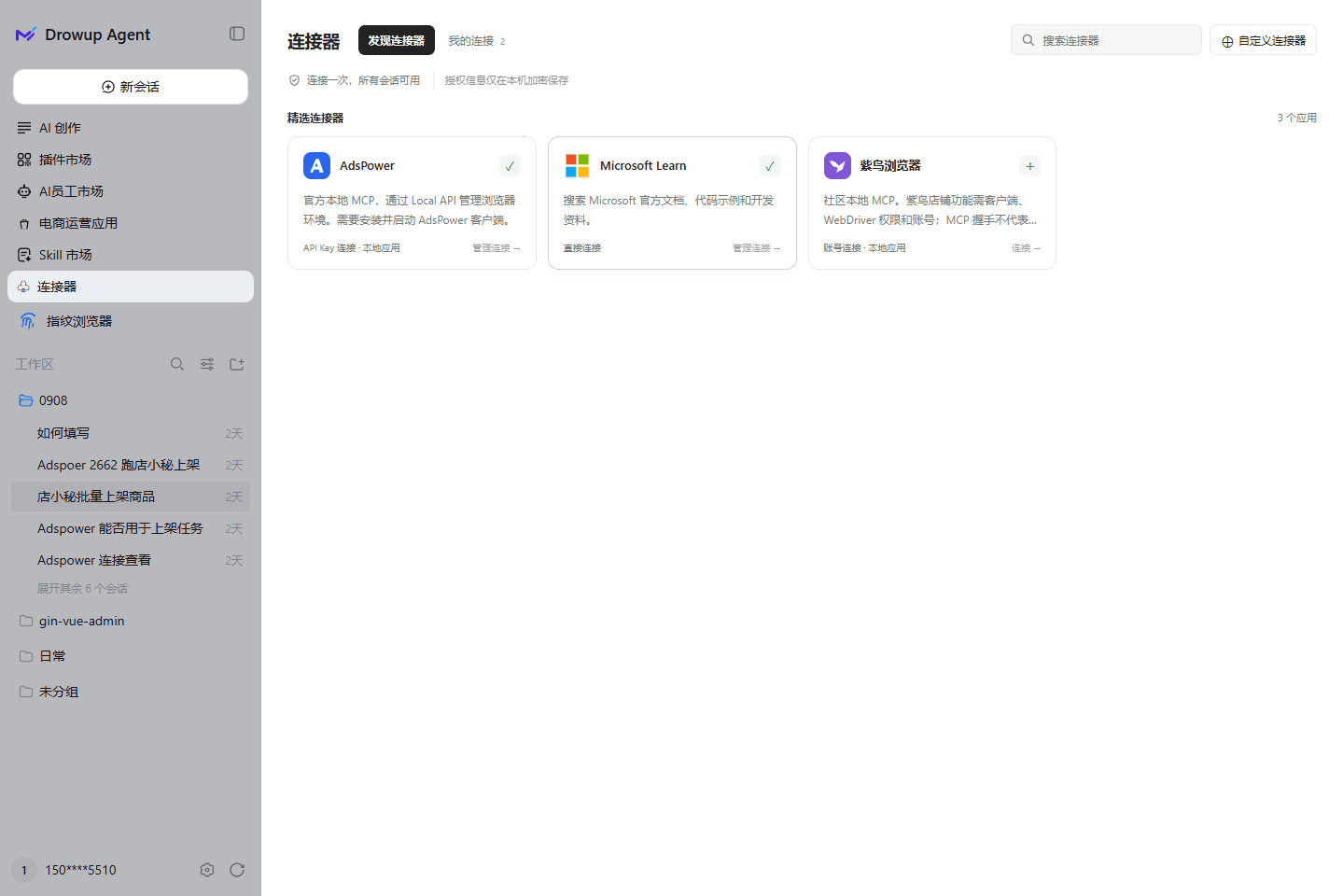
Open the connector entry in the client. Check the account, permissions, local dependencies and any separate provider charges. Keep required local services available. Do not assume another product's integration catalog is a list of supported DrowUp services.
2. Complete authorization
Fill in the required fields. Read any installation or local-execution consent prompt before approving it. Installed does not mean authorized: complete the connection check shown by the interface.
Keep credentials in authorization settings
Do not paste full keys, tokens, passwords or verification codes into task conversations or shared screenshots. Remove credentials before sharing configuration examples or logs.
If authorization fails, check the endpoint, account permissions and local service before repeatedly replacing a previously working connection.
3. Configure custom MCP carefully
The current implementation recognizes standard mcpServers JSON for local commands and HTTPS services. This is not a guarantee of support for every transport, header or authentication method.
- Keep the provider's required structure. Do not remove authentication merely to pass validation.
- Local
stdioconfigurations launch a program: review the command, arguments and source before allowing execution. - Verify remote domains, HTTPS endpoints and permission scopes.
- Test the connection and inspect returned tools before saving. A successful test does not mean saved or enabled.
If you are unfamiliar with MCP, prefer an available market entry instead of executing commands from unknown sources.
4. Enable and verify read-only access
After saving and authorization, confirm the connection is enabled. In a conversation for the current user, ask:
Check whether "MY-CONNECTOR" is available and describe its tools.
If reading is supported, read one item I am allowed to access and report
its source. Do not create, modify, delete, send messages, buy or subscribe.
Verify the service and account. Discovering tools is not proof of business-API permission; a successful read does not authorize writes.
5. Maintain or disable the connection
Check dependent tasks before disabling a connection. Because it is shared by the current user's conversations, other conversations may be affected too. Disabling a client connection does not revoke provider authorization or cancel a third-party subscription; use the provider's account controls when needed.
Troubleshooting
| Symptom | First check |
|---|---|
| Saved but unavailable | Authorization, enabled state and local service availability |
| Connected but business call denied | Account permissions and target data scope |
| Custom configuration rejected | JSON structure, transport, headers and execution consent |
| No employee-binding option | Current connections use current-user sharing |
| Other conversations lose access after disabling | Shared connection dependencies |